The Best Alternative Programs to TeamViewer for Remote Device Control and Support
Of course, the ability to control a device remotely is one of the most important features that helps save time and effort when accessing another person's device anywhere on earth, as you can easily access and control another person's device at any time and in any place — even if they are in a different country. Through these plans.
You can do whatever you want on the other party's device, such as transferring files, though the transfer certainly depends on your internet speed. You can also fix something on the other party's device, or even train them to do what they want.
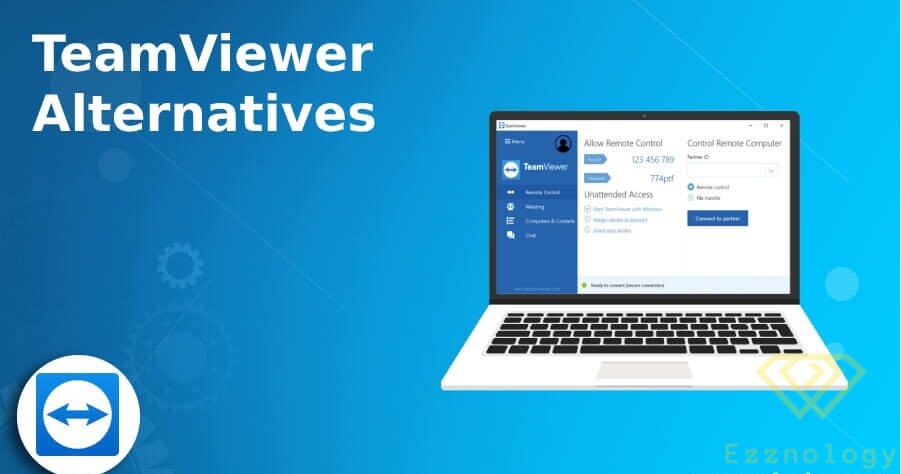
TeamViewer is certainly the most popular remote control software, but it definitely has some drawbacks — including that it is paid, not everyone can afford it, it has some limitations, and some people just don't like it — so many people search for effective and free alternatives. Today in our following tutorial we will cover the best free alternatives to TeamViewer for remote control software.
6 Free Alternative Programs for Remote Device Control Instead of TeamViewer:
1. AnyDesk
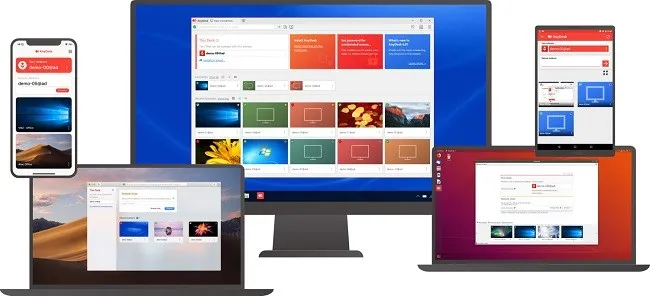
AnyDesk is a name that frequently comes up when talking about remote control software or remote desktop applications. But it can also be an excellent and effective alternative to TeamViewer.
You can use AnyDesk by installing it on your device, or as a portable app in case you just need to try it out. Although there is a paid version, the free edition of AnyDesk offers sufficient features if you are just getting started with remote computing.
Best features of AnyDesk
Easily connect to remote devices with unique device addresses.
Has a built-in chat.
Supports file transfer, remote screen recording, clipboard sync, remote printing, and session history.
Login credentials support for unattended access.
Supports multiple monitors connected to remote devices.
AnyDesk can discover other AnyDesk devices on the local network and connect to them.
Download

Or
2. Zoho Assist
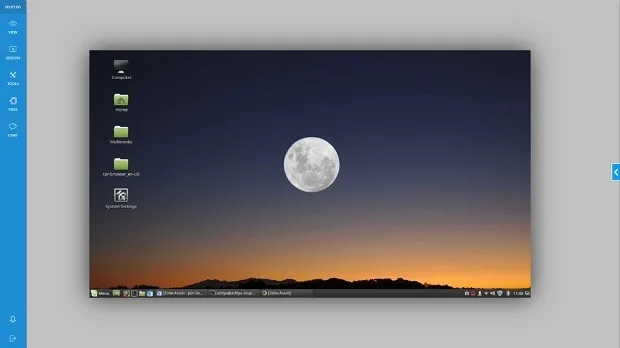
Zoho Assist is among the best remote device control alternatives, and it meets the needs of more advanced and professional users and businesses.
It is a great alternative to TeamViewer because it provides many useful features under a visually attractive user interface.
The main selling point of Zoho Assist is its cloud-based setup, which means you don't need to install anything on your system to provide remote support. However, it is a paid tool with a 15-day trial period.
Best features of Zoho Assist
Easy to set up remote access software with professional features.
Supports file sharing, annotations, text, voice calls, and video calls with clients.
Can be used as a system service for greater control over client devices.
Provides direct access to shutdown, restart, and other quick-boot options.
Supports unattended access on client devices.
Save favorites and previous session history for later access.
The downside of this plan is that it is not free, but it includes a 15-day trial plan that gives you all the benefits.
Download
3. Splashtop
Splashtop is another alternative to TeamViewer you can use for this remote task. Over nine years of existence, this remote access software has built a solid reputation across the industry by delivering a good mix of video quality and response time over a remote connection.
The free version of Splashtop comes with features that may be sufficient for beginners. You should prefer this remote access software if you plan to connect mainly to the host device over an internal LAN network.
Best features of Splashtop
- Seamless one-click connection to the remote device.
- Supports touchpad gestures such as two-finger scrolling, pinch-to-zoom, and more.
- Delivers good quality even on fairly fast connections.
- Supports file transfer from a remote device.
Download
Or
4. Google Remote Desktop
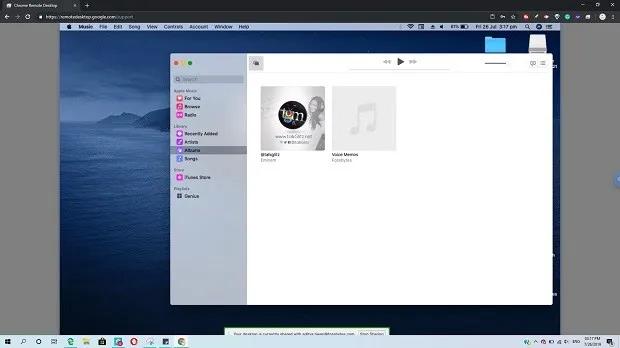
Perhaps the easiest alternative to TeamViewer is Chrome Remote Desktop. You may have heard of this free remote desktop program from Google many times — it is well known for its simplicity. It is based on Google's own protocol called Chromoting.
One of the great things about Chrome Remote Desktop is that it runs inside the Google Chrome browser. You don't need to keep a separate application on your computer (other than the tools you need to install when setting up a remote connection).
Best features of Chrome Remote Desktop
This is a simple and easy-to-use remote desktop program.
Visually attractive user interface.
Clipboard can be synced with remote devices.
Key remapping support on remote devices.
Multiple monitor support connected to remote devices.
Quickly connect to other devices using one-time passwords.
Download
5. NoMachine
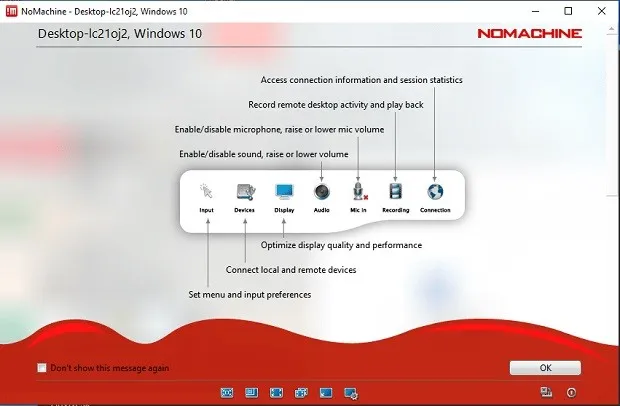
NoMachine is one of the free alternatives to TeamViewer that lets you connect to and use a device remotely. It uses a proprietary remote desktop protocol called NX to establish the connection.
However, the issue here is that this remote access software is best suited for connections over a LAN network. This means you cannot access computers in far-flung corners of your home.
Best features of NoMachine
Automatically displays other devices on the local network that have NoMachine installed.
Easily set up a remote desktop connection.
Offers a variety of authentication methods.
Supports sharing and file sharing for various connected peripheral devices.
Download
Or
6. Windows Remote Desktop — Microsoft's Built-in Remote Control Tool
Why choose a third-party program when you have a powerful, free, and built-in Windows alternative to TeamViewer right on your computer? It is Windows Remote Desktop, built into Windows 10 (and older versions).
As you know, it uses Microsoft's Remote Desktop Protocol to communicate with other devices over the internet and a local network. The reason I placed it at the bottom of this list is that Windows Remote Desktop is not available in the Windows 10 Home edition, which is what many people use.
Best features of Windows Remote Desktop
Known for its reliability.
Allows you to use printers and other peripherals connected to remote devices.
Clipboard sharing support from remote devices.
Provides encrypted remote connections with TLS support.
Uses your Windows username and password for authentication.
Download

And that's it, my friend — mission accomplished successfully 
With greetings from the #Ezznology team
Find what you need at #our store
To subscribe to our newsletter on Google News click here 

Or scan the code

You might also be interested in:
Top 10 In-Demand Freelance Jobs in 2023 | The best freelance jobs in 2023
Top 10 Sites to Earn Money from Downloads and File Uploads | Making Money Online