What is Cloud Migration? | Cloud Migration Strategy | Cloud Relocation
internet-cloud-migration
Cloud migration is the process of moving digital business operations to the cloud. Migrating to the cloud is somewhat like a physical move, except it involves transferring data, applications, and IT processes from some data centers to others, rather than packing and transporting physical goods. Much like moving from a smaller office to a larger one, cloud migration requires a significant amount of preparation and advance work, but it is usually worth the effort, resulting in cost savings and increased flexibility.
Most often, “cloud migration” describes the transition from on-premises or legacy infrastructure to the cloud. However, the term can also apply to migration from one cloud to another.
What is Legacy Infrastructure?
In computing, hardware or software is considered “legacy” if it is outdated but still in use. Legacy products and processes are typically not as efficient or secure as more modern solutions. Businesses stuck running legacy systems risk falling behind their competitors; they also face an increased risk of data breaches.
Legacy software or hardware may become unreliable, may run slowly, or may no longer be supported by the original vendor. Windows XP, for example, is a legacy operating system: released in 2001, its capabilities have been surpassed by subsequent versions of Windows, and Microsoft no longer supports the operating system by issuing patches or updates for it.
Infrastructure includes servers, networking equipment, applications, databases, and any other software or hardware critical to the business. Legacy infrastructure, such as outdated servers or physical firewall devices, may slow down a company’s business operations. It may also add greater security risks as original vendors abandon support for their products and stop issuing security patches.
Legacy infrastructure is typically hosted on-premises, meaning it physically exists in the buildings or on the property where the organization operates. For example, many companies host a local data center in the same building where their employees work.
Companies that rely on legacy on-premises infrastructure are unable to experience the benefits of cloud computing. For this reason, most organizations today have migrated at least partially to the cloud.
What are the Main Benefits of Cloud Migration?
- Scalability: Cloud computing can scale to support larger workloads and greater numbers of users far more easily than on-premises infrastructure, which requires companies to purchase and set up additional physical servers, networking equipment, or software licenses.
- Cost: Companies that move to the cloud often reduce the amount they spend on IT operations, since cloud providers handle maintenance and upgrades. Instead of keeping things running, companies can focus more resources on their greatest business needs – developing new products or improving existing ones.
- Performance: For some companies, moving to the cloud can enable them to improve performance and the overall user experience for their customers. If their application or website is hosted in cloud data centers rather than various on-premises servers, data will not have to travel as far to reach users, reducing latency.
- Flexibility: Users, whether employees or customers, can access the cloud services and data they need from anywhere. This makes it easier for businesses to expand into new regions, offer their services to international audiences, and allow their employees to work flexibly.
What are the Main Challenges of Cloud Migration?
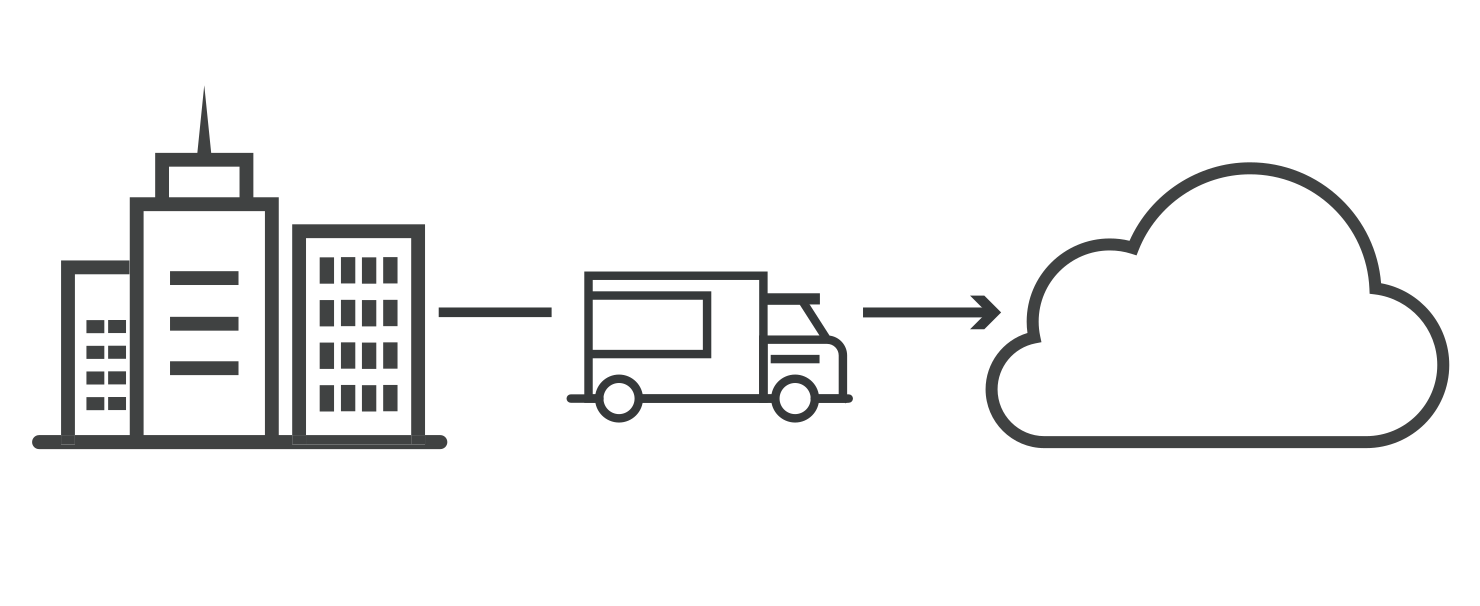
- Migrating large databases: Databases often need to move to an entirely different platform in order to function in the cloud. Database migration is challenging, especially when large amounts of data are involved. Some cloud providers offer physical methods for data transfer, such as loading data onto a device and then shipping the device to the cloud provider, for massive databases that might take a very long time to transfer over the internet. Data can also be transferred over the internet. Regardless of the method, data migration often takes a long time.
- Data integrity: After data has been transferred, the next step is ensuring the data is intact and secure, and that it was not leaked during the process.
- Operational continuity: The business needs to ensure that its existing systems remain operational and available throughout the migration period. There will need to be some overlap between the on-premises environment and the cloud to ensure continuity of service; for example, it is essential to have a copy of all data in the cloud before shutting down an existing database. Companies typically need to move a little at a time rather than all at once.
How Does On-Premises to Cloud Migration Work?
Every business has different needs, and will therefore follow a somewhat different process for cloud migrations. Cloud service providers can help businesses prepare their own migration process. Most cloud migrations will include these basic steps:
- Define goals: What performance gains does the business hope to see? By what date will legacy infrastructure be decommissioned? Defining measurable goals helps the business determine whether or not the migration was successful.
- Create a security strategy: Cloud cybersecurity requires a different approach compared to internal security. In the cloud, company assets are no longer behind a firewall, and the network perimeter essentially no longer exists. It may be necessary to deploy a cloud firewall or a web application firewall.
- Copy data over: Select a cloud provider and replicate existing databases. This should be done continuously throughout the migration process so that the cloud database remains up to date.
- Move business intelligence: This may involve rebuilding or rewriting code (see below). It can be done in phases or all at once.
- Switch production from on-premises to cloud: The cloud goes live. The migration is complete.
Some companies shut down their local on-premises infrastructure at the end of these steps, while others may keep legacy systems in place as a backup or as part of a hybrid cloud deployment.
What Cloud Migration Strategy Should Organizations Adopt?
Gartner, a highly influential IT research company, describes 5 options for organizations transitioning to the cloud. These cloud migration strategies are known as the “5 R’s”:
- Rehost – Rehosting can be thought of as “the same thing, but on cloud servers”. Companies that choose this strategy will identify an IaaS (Infrastructure as a Service) provider and recreate their application architecture on that infrastructure.
- Refactor – Companies that choose to refactor will reuse existing code and frameworks, but run their applications on a PaaS (Platform as a Service) provider’s platform – rather than IaaS, as with rehosting.
- Revise – This strategy involves partially rewriting or extending the codebase, then deploying it either via rehosting or refactoring (see above).
- Rebuild – “Rebuilding” means rewriting and redesigning the application from scratch on a PaaS provider’s platform. This can be a labor-intensive process, but it also enables developers to take advantage of modern features from PaaS vendors.
- Replace – Companies can also choose to discard their legacy applications entirely and switch to SaaS (Software as a Service) applications already built by third-party vendors.
What Cloud Deployment Model Should Companies Choose?
In addition to a cloud migration strategy, companies need to determine what their cloud deployment will look like once the migration is complete.
Hybrid cloud blends two or more types of environments, combining public clouds, a private cloud, or legacy on-premises data centers. For a hybrid cloud deployment to work well, integration must be tight across all deployed clouds and data centers – just as team members particularly need close communication if they are spread across different offices.
Multicloud deployment combines two or more public clouds. (Public clouds are shared by more than one customer.) Multicloud can serve several purposes: redundancy/backup, cost savings, or leveraging features from different cloud providers, for example.
A single-cloud deployment from a single cloud vendor is not always possible for businesses, but it is an option. Cloud service providers offer both public clouds and private clouds – the difference being that private clouds are not shared with any other company.
Read also:
What is the Public Cloud? | Public Cloud vs. Private Cloud | The Cloud or Cloud Computing
My Email Has Been Hacked – What Do I Do Next?
What is Hacking? And How Can We Prevent It and Protect Ourselves from Breaches?