Google Launches Smart AI Dictation for iPhone Without Internet
Google AI Edge Eloquent Delivers Smart On-Device Speech-to-Text Conversion
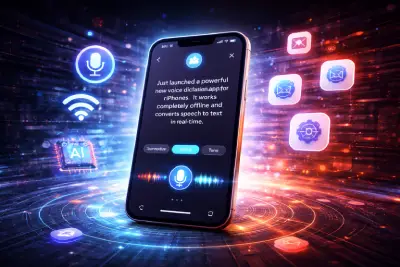
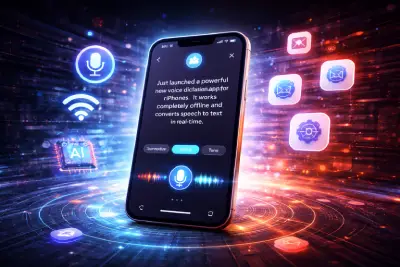
Google has announced the launch of a new app for iPhone called Google AI Edge Eloquent, an application that uses artificial intelligence to convert speech to text in a smarter and more flexible way, even without the need for an internet connection.
This app comes, first and foremost, to give users a faster and more private experience with voice dictation, especially for those who need to write notes, messages, or long texts on the go. It is also, at the same time, a new step from Google to strengthen its presence in the speech-to-text app market on iPhone devices, in direct competition with a number of specialized apps in this field.
A Free App Powered by Google Artificial Intelligence
Google has made the app available for free on the App Store, making it immediately accessible to iPhone users who wish to try an advanced voice dictation solution.
The app relies on Automatic Speech Recognition (ASR) technology built on Google's Gemma artificial intelligence models. Thanks to this, the user can speak naturally while the app converts speech into written text in real time directly on the device.
Furthermore, the app does not limit itself to merely transcribing speech verbatim, but also strives to clean up and refine the text so that it is closer to a ready-to-use format.
Converting Speech to Text More Intelligently and Professionally
One of the standout features of Google AI Edge Eloquent is that it does not simply write what it hears — it also works to improve the quality of the resulting text during and after the dictation process.
For example, the app automatically removes common filler words such as "um" and **"uh"** and unnecessary pauses that typically appear in everyday speech, then rephrases sentences in a smoother and clearer manner. In this way, the user receives cleaner, more professional text compared to what traditional dictation apps provide by transcribing speech as-is.
As a result, the app can be very useful for students, content creators, journalists, employees, and anyone who relies on quickly capturing ideas using voice instead of manual typing.
Additional Features for Text Editing and Customization
Google did not stop at the speech-to-text feature alone, but also added a set of smart tools that make the app more useful in everyday use.
After completing the dictation, the user can choose from several text processing modes, such as:
- Summarizing the key points
- Converting the style to formal
- Shortening the text
- Expanding the content
- Rephrasing and refining the text
These features give the user greater flexibility, especially when wanting to transform quick notes into an email, a report, or text ready for publication.
However, it should be noted that the app currently supports English only, which may limit its usefulness for some users for now, until Google adds support for other languages in the future.
A Key Feature: Works Without an Internet Connection
One of the most important strengths of the new app is its ability to operate entirely locally on the device, meaning without the need for an internet connection.
This means the user can use the app in places where internet is not available or when preferring not to send their data to the cloud, which enhances both privacy and response speed simultaneously.
On another front, cloud processing can also be activated when the device is connected to the internet, in which case the app benefits from Gemini cloud models for more in-depth and advanced text refinement.
Thus, Google offers users two different options:
Either fast, private local performance, or more advanced cloud processing when needed.
Support for Custom Terminology and Full Session History
Among the other smart features the app offers is support for adding custom terms and names, which is a very important feature for users who deal with people's names, brand names, or technical terms that are not always transcribed correctly in traditional dictation apps.
According to available information, the app can import some names and terms from a Gmail account, and also allows adding words manually to improve accuracy.
In addition, the app displays a full history of previous dictation sessions, with the ability to search within saved texts. This feature is very useful for those who regularly use the app for recording ideas, meeting notes, or daily observations.
Useful Performance Metrics for Users
To add further value to the experience, the app also provides some usage statistics that may be important for a number of users, especially those who rely on voice dictation daily.
For example, the app displays:
- Dictation speed (words per minute)
- Total number of spoken words
- Previous session history
- Performance and usage data
Although these details may seem simple, they give the user a clearer insight into their voice dictation habits and may help improve productivity over time.
What Sets the App Apart from Traditional Dictation Apps?
According to Google's description, the core idea behind Google AI Edge Eloquent is not merely to transcribe voice to text, but to transform natural, spontaneous speech into more professional and usable text.
This is where the real difference lies; many current dictation apps simply dump the speech as-is, including hesitations, mid-speech corrections, repetitions, and unstructured pauses.
Google's new app, on the other hand, attempts to treat speech as a first draft, then transforms it into better, more organized phrasing, making it particularly suitable for everyday work tasks, written content, and professional communication.
Currently Available for iPhone Only... Android Is on the Way
At this time, the Google AI Edge Eloquent app is only available on iOS, meaning for iPhone users via the App Store.
However, information indicates that Google is also working on a version for Android, which is expected to come with additional, more advanced features, such as:
- System-level integration
- The ability to set it as the default keyboard
- A floating button for quick access to voice dictation
If this happens, the app could later become one of the most powerful AI voice dictation tools on smartphones in general.
Can This App Change the Way We Type on Phones?
With the rapid advancement of artificial intelligence tools, it has become clear that the future of typing on phones does not rely solely on traditional keyboards, but is increasingly moving toward voice, contextual understanding, and intelligent rephrasing.
From this perspective, Google's new app may represent an important step in this direction, as it does not only focus on voice transcription, but attempts to make natural speech convertible into organized, professional text within seconds.
In a rapidly changing digital world, the impact of these tools extends from Arabic websites and blogs to wide sectors including Egypt stores and Kuwait stores and vitamin stores and any popular social media service, where speed in producing text and content has become a real competitive advantage.
Conclusion
Ultimately, Google AI Edge Eloquent appears to be more than just a new voice dictation app — it is a clear attempt by Google to redefine speech-to-text conversion on smartphones, by combining privacy, offline functionality, artificial intelligence, and automatic text enhancement.
Although its current support is limited to English and iPhone only, the features it offers make it a very promising tool, and it may become a preferred choice for many users if its support expands in the future. In a digital world where technology news intersects with user interests through following Arabic websites and specialized blogs, alongside what is offered by Egypt stores and Kuwait stores and vitamin stores and foreign websites, and relying on Mashhor for social media services.