My Email Has Been Hacked – What Do I Do Next?
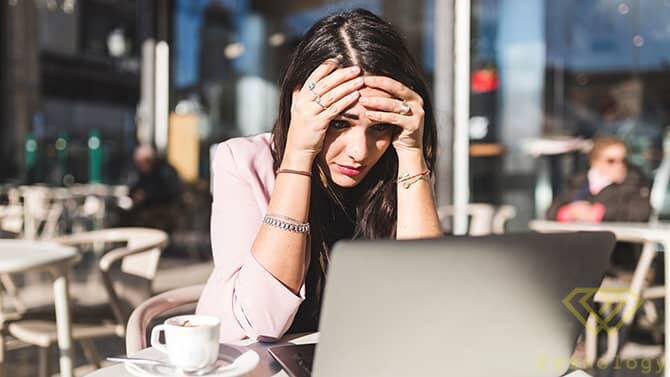
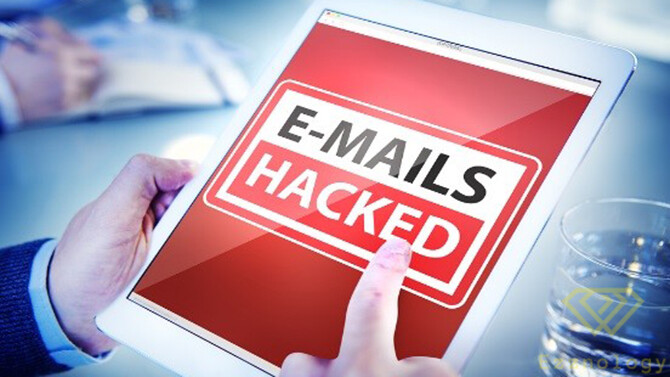
Email accounts compromised by cybercriminals represent a gold mine of personal data and a gateway to access all your other accounts.
Given the number of online accounts linked to email – including online banking and online shopping – recovering from an email breach is extremely time-sensitive. You will need to act quickly and carefully to minimize the damage to your identity, finances, and those around you. Read on to learn how email breaches occur and what to do if you are the victim of an email hack.
How is an email account hacked?
The main reasons why someone might fall victim to an email hack include:
Phishing Scams:
This may involve an email that appears to be from a legitimate brand, asking you to confirm your password, account details, contact information, or other information. Criminals use social engineering techniques to trick victims into handing over their email passwords. Often, these can be very convincing.
Data Breaches:
Hackers may have obtained your email credentials through a data breach. If you use the same password for multiple accounts, one compromised account means the hacker can access all of them. Sometimes hackers buy passwords from the dark web, where cybercriminals sell them after successful data breaches.
Not Logging Out After Using a Public Computer or Device:
If you use a public computer to check your email but do not log out afterward, the next user can obtain your password and use it to hack your account. Always log out properly after using a public computer or device. Additionally, keep in mind that public computers can be infected with malware or spyware – so be careful.
Using an Unsecured Public Wi-Fi Network:
Free public Wi-Fi connections, such as those found in cafes or airports, often have little or no security. This makes it easy for hackers to spy on traffic flowing through them – including your email details. One way to avoid this is to stick to networks you trust or that are password-protected. Using a VPN – a Virtual Private Network – also helps because it secures and encrypts your connection.
Weak or Easily Guessable Passwords:
If you use a weak or obvious password, hackers can guess what it is. A strong password is at least 12 characters long – ideally longer – and consists of uppercase and lowercase letters, symbols, and numbers. Using a password manager can help you keep track of multiple passwords.
Not Using Updated Antivirus Software:
Using high-quality antivirus software and keeping it up to date is the best way to protect your devices from malware designed to steal your passwords. Malware can infect your device through compromised attachments or downloads.
How can I tell if someone has hacked my email account?
If you are wondering whether your email has been hacked, warning signs include:
Your Password No Longer Works
One of the most obvious signs of being hacked is that you can no longer log into your email. If you type in your usual email password and it does not work, it is likely that someone else has changed it. Once hackers gain access to your email, they often change the password to prevent you from logging in.
There are Emails in Your Account That You Don’t Recognize
However, hackers do not always change your password, and sometimes you will still be able to access your email account. You may notice that there are messages in your sent folder that you do not recognize because you did not send them. Or there may be password reset emails in your inbox from websites you did not request – as hackers may use access to your email to try to change your password on other sites. Messages you do not recognize are a sign that a hacker has access to your account.
Friends say they have received strange or spam messages from you
If your contacts report receiving spam messages from your email address, this is a red flag that your email may have been compromised and your data is at risk.
Different IP Addresses Appear in Your Log
Some email service providers have a tool that reveals your IP address – meaning that every time you log into your email account, your IP address is recorded. For example, in Gmail, if you scroll to the bottom of the page, in the bottom right corner, you will see the word “Details”.
If you click on this, you can see the IP address locations from which your account has been accessed. If you only access the account from home or work, the IP address will show those addresses. If someone else has accessed your email account, different IP addresses will appear.
What Can Hackers Do With Your Email Address?
If you believe your email has been hacked, it is natural to assume the worst, such as “Can someone hack my bank account using my email address?”
Your email account is a treasure trove of valuable information, which is why hackers want to get hold of it. Anyone who hacks your email can access your contact list, which they can use in phishing attempts to carry out further fraud. Additionally, through the content of your emails, they will have a good idea of which websites you have accounts on, including financial and banking sites.
They can use your email to reset other account passwords, access credit information, or even delete accounts. They can use the information they discover to steal money or obtain personal data, which they can sell on the dark web.
Ultimately, our email addresses are often the primary identifier in many login processes. If an intruder wants to get into your online accounts, knowing your email address is an excellent first step.
What to Do If Your Email Has Been Hacked
So, what do you do if a scammer has your email address and has hacked your account? Here are the steps you can take to protect yourself:
1. Run Your Antivirus Software
As mentioned in the FTC guide to hacked email, the first action to take if your account has been compromised is to run a thorough antivirus scan. Skip the “quick scan” setting in favor of a deep scan to identify and remove all forms of malware (including Trojans, spyware, and keyloggers that can track your keystrokes even after the breach has been identified) and unwanted applications.
Hackers do not want access to your account just so they can send embarrassing messages to your friends – they are looking for ways to defraud you of money or commit credit card fraud. For example, hackers target businesses that regularly send money via wire transfer. Once an email account is compromised, they can send their own unauthorized transfers. According to the FBI’s Internet Crime Complaint Center, Business Email Compromise (BEC) caused financial losses of $2.4 billion in 2021, up from $1.8 billion in 2020.
The sooner you run an antivirus scan, the better. It is essential to ensure your system is clean before changing any of your other sensitive information to avoid restarting the cycle.
2. Change Your Passwords
Once your computer is free of malware, it is time to change your password. If you have lost access to your account, you may need to contact your email provider directly to verify your identity and request a password reset.
Choose a new password that is different from your old one, and make sure it does not contain repeated strings of characters or numbers. Avoid passwords that have obvious links to your name, date of birth, or similar personal details. Hackers can easily find this information and often use it in their first brute-force attempts to access your account.
Your password should be unique for each account, complex (a mix of letters, numbers, and special characters), and at least 12 characters long (preferably more). If you need help creating new passwords or managing all your new complex ones, use a secure password manager to store them safely.
How to change your email password:
This will vary depending on the provider. For example:
Gmail
- Go to myaccount.google.com
- Under Sign-in & security, choose “Signing in to Google”
- Under Password & sign-in method, click Password
- Sign in to your Google account
- Enter a new password, then re-enter it and click Change Password
Hotmail and Outlook
- Sign in to your Hotmail account at outlook.com
- Click your name in the top right of the screen
- Choose View profile
- Click Change password next to your email address
- Microsoft will verify that you are requesting a change to your password: enter your email address and click Send code
- Check your inbox for a code, then enter it in the browser and click Submit
- Now enter your current password and a new password (at least eight characters and case-sensitive), then re-enter the password
- Click Save
Yahoo Mail
- Sign in to your Yahoo Mail account at login.yahoo.com
- Click your name in the top right of the screen
- Choose Account info
- Select the Account security tab
- Click Change password
- Enter a new password, re-enter it to confirm, then click “Continue”
3. Contact Other Online Services
Changing your passwords with other online accounts is also critically important. Payment-based accounts such as Amazon, Netflix, credit card companies, and even your local library need to be reset. Make sure to update every password to prevent hackers from breaching those accounts as well.
Keeping your other accounts secure is important because secondary services are ultimately the most valuable targets in these security breaches. For example, your bank account could easily be the next breach if the scammer finds the information needed to reset your password.
Again, make sure to use a unique password for each site. The risk of follow-up breaches increases if you use the same password for multiple sites. Avoid simplified logins via email or social media accounts to reduce risk. However, even varied passwords may not be enough if you have emails in your account that lead directly to linked online vendors.
4. Notify the People You Know
Consider the need to protect your contact list as well. It is a good idea to tell your friends, family, and colleagues that you have been hacked.
During the period when attackers controlled your account, they could have sent dozens or even hundreds of malware-laden emails to everyone you know. This type of phishing attack in turn gives them access to a new pool of victims.
You should notify your contact lists on other platforms as well. Email may be just one route attackers use to lure your contacts. If they have breached your social media or messaging apps, fraudulent messages can be sent from all of those as well. Warning your contacts allows them to take steps to ensure their devices are clean and unaffected.
5. Change Your Security Questions
While your password was the most likely route of attack, it is also possible that hackers breached your account after answering your security questions.
By using incorrect answers to security questions, you can undermine the chances of a hacker breaking in again. Make sure they are memorable for you but cannot be discovered through your social media posts or other public information. According to Google research, many users choose the same answer to common security questions. For example, nearly 20% of American users answered “pizza” to the question “What is your favorite food?”
Enabling multi-factor authentication allows you to protect logins and password resets. This authentication uses secondary email addresses or text messages to further secure your email.
6. Report the Breach
If you have not already done so, contact your email provider and report the breach. This is important even if your compromised email did not result in loss of access. Reporting the breach helps service providers track fraud-based behavior. When you report a breach, you protect yourself and others from future threats by helping the provider improve their security.
Additionally, your email provider may be able to provide details about the origin or nature of the attack. You may find that the breach is larger and affects other services you may have.
7. Create a New Email Account
Sometimes it is easier to start fresh. Take a moment to think: has this email been hacked before? Is your service provider not taking steps to reduce the amount of spam you receive? It may be time to switch.
Look for a service that offers default encryption for your emails. Data encryption helps hide your emails in the event the provider’s servers are breached. Hackers cannot open this data without the proper security key.
How to Change Your Email Address:
Changing email addresses is not always easy. Most email services do not allow you to change your email address, meaning you typically need to create a new account and then migrate your information. You can make the process easier by setting up proper forwarding and notifying people of the change. Some services allow you to migrate emails from your old account. After creating a new account, you may want to keep your old account active for a period of time. You can use it for a while to ensure you do not miss any important messages and that none of your online accounts get locked out.
8. Contact Credit Agencies
The reach of hackers is often more significant than a simple email breach might suggest. It is a good idea to reach out and ask credit reporting agencies to monitor your accounts in the months following your breach.
If you have recently been contacted by or responded to any suspicious emails, make note of that as well. Scammers are likely to try to make personal contact and convince you to share personal details before they begin defrauding your accounts and making purchases with your credit card. Scammers know that the personal touch often gets them past the first line of spam defense.
9. Consider Your Identity Protection Options
If you have been hacked, it is worth considering an identity protection service. These services typically offer real-time email and online retail account monitoring. In addition, they also typically provide credit score reports and personal assistance in the event of identity theft.
Look for companies with a proven track record given the significant cost associated with this type of protection. Make sure you are using a legitimate service – not a disguised hacker operation looking for your personal data.
Additionally, consider using cybersecurity software with account monitoring services. Extended internet security suites tend to monitor your online accounts for data breaches. They will typically provide you with full support and guidance in the event a leak or breach occurs.
10. Get Complete Security
Run an antivirus scan on all connected devices, including your laptop, tablet, and smartphone. Take steps to secure the cloud as it may also contain your personal data. Change your passwords, notify service providers, and consider cleaning your cloud data and backups through an antivirus scan. These measures can give you greater peace of mind.
Upgrade your basic antivirus protection to full-time internet security protection if you have not already done so. Look for a service that proactively blocks new unknown threats and protects your online activities.
Once you know how to fix a hacked email, defending yourself becomes much easier. If you discover that your email has been hacked, follow these steps to regain control and prevent future problems from occurring.
Read more:
What is Hacking? And How Can We Prevent It and Protect Ourselves from Breaches?