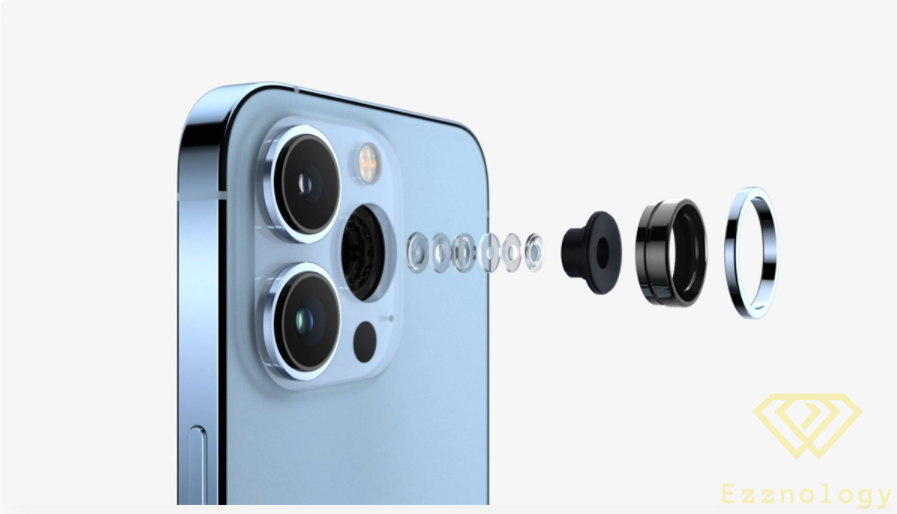
How to Deactivate Macro Mode in Photos on iPhone Devices

Deactivating Macro Mode in Photos on "iOS 15":
To begin with, "iOS 15" includes a new photography mode called Macro mode "Macro",
and this feature is exclusive to the latest models of "iPhone".
This means only "iPhone 13" handsets can use this feature.
This feature makes use of the phone's multiple cameras to deliver the best and most distinctive photography experience,
similar to the "Macro" cameras already found on Android phones as well.
However, iPhone users were encountering a problem in that this mode or feature had no button to turn it off,
but that was the situation initially and things have since changed.
The Macro Feature in Photos on "iOS 15":
One great thing about "Macro" mode is that it activates automatically when you point your phone's camera at any object,
it will capture the best possible shot using this "Macro" mode,
It is largely similar to how Night mode activates automatically when the device is configured for that,
in the sense that if the subject is in a very dark environment it will do what is needed and optimize the shot to its best possible quality,
but unlike Night mode, Macro mode cannot be turned off automatically.

How to Disable or Turn Off Macro Mode in Photography:
In fact, "Apple" did not provide a button to turn off this mode in "iOS 15",
which was a problem for most users of the system who did not want to use it in the first place.
However, the company corrected this in the "iOS 15.2" update, which was released and announced a few days ago.
There is now an "off" switch for Macro mode in the Camera settings.
You can apply this by following these steps:
- Open Settings on your "iPhone".
- Then scroll down and tap on the "Stock Camera" application.
- Finally, scroll to the bottom of the Settings screen and toggle off "Macro" mode.

Disabling or Turning Off "Macro" Mode Differs Greatly from Turning Off Night Mode:
Macro mode is turned off from the Camera app's settings,
unlike Night mode which cannot be enabled or disabled from within the Camera app itself.
I know it is truly an unfortunate drawback, but it seems that adding a toggle for the feature was an afterthought.
It is easier to add the toggle to Settings compared to the Camera app,
and perhaps in future operating systems such as "iOS 16", I believe Apple will take that into consideration.
You can now access the on/off toggle for Macro mode from within the Camera app itself, which is quite different from before.
In Conclusion:
Macro mode is limited to the latest "iPhone" handsets,
and this problem was not actually a problem for some users since many people were unaware of it, while others simply did not use it.
Moreover, a great many people are still using older "iPhone" models on which this feature does not exist at all.
Apple also continues with updates, reviewing and fixing bugs, and improving the camera and the camera app on its latest phone,
as well as regularly adding new features to its devices.
In most cases these features and bug fixes may be added to both current and older devices, and this may happen in upcoming releases.
We all know that the lower your device version or the older the operating system you are using,
the fewer features and additions will appear on your device.