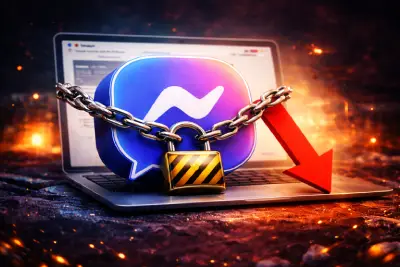
Meta officially announced the closure of Messenger's standalone website (messenger.com), which stops being available from April 2026, around the middle of the month according to tech coverage. It sounds like a small technical change, but it affects many people who were used to chatting with friends and customers from a computer without opening Facebook. So what exactly changed, and what should you do if you are one of them?
What Did Meta Say?
According to the company's help page, users can send and receive messages in a browser only by logging in to their Facebook accounts; visitors to the Messenger website are redirected to the messages page inside Facebook (facebook.com/messages). Meta showed a pop-up notice in the app and on the website to warn users ahead of the change.
The Messenger apps for Android and iOS are not affected and keep working as usual.
What About Messenger Users Without a Facebook Account?
They are hit hardest. People who use Messenger without a Facebook account can continue their conversations only through the Messenger mobile app, with no official way left to use the service from a computer.
Chat history can be restored on any platform using the PIN entered when the backup was first created, or reset if the user has forgotten it.
How to Protect Your Chats
- Open Messenger on your phone and go to Settings, then Privacy and Safety.
- Find the encrypted chat storage or backup option and make sure it is turned on.
- Save your PIN somewhere safe, such as a password manager, because you will need it when you change phones.
- If you have forgotten it, reset it now rather than when you actually need to restore your chats.
Menu names may differ slightly between app versions, but the idea is the same: check your backup today, not after you lose your phone.
One Step in a Series
The decision came months after Meta shut down the standalone Messenger desktop apps for Windows and Mac, which reports say were discontinued in December 2025. The company had been redirecting desktop users to Facebook's website instead of the Messenger site.
Messenger's History in Brief
| Year | Event |
|---|---|
| 2008 | Launched as "Facebook Chat" |
| 2011 | Became a standalone app |
| 2014 | Messaging removed from the main Facebook app to push users to Messenger |
| 2023 | Meta began folding Messenger back into the Facebook app |
| December 2025 | Windows and Mac desktop apps discontinued |
| April 2026 | Standalone messenger.com website closed |
It is striking that the company that split Messenger from Facebook more than a decade ago is now merging it back, step by step.
User Anger and Meta's Calculations
Users voiced frustration and anger on social media, especially those who had deleted their Facebook accounts and feel forced back onto the platform to manage their chats from a computer.
Frustrating as it is, the move lets Meta cut operating costs by reducing the number of platforms that need ongoing maintenance. Every separate version of a service needs a team, security updates and testing; consolidating inside Facebook lowers that burden and also increases the time people spend in the main app.
Why Companies Consolidate
Meta is not alone. Many big tech companies now prefer one main app that bundles services instead of scattered apps, since it makes launching new features easier, keeps usage data in one place and creates more room for ads. Users pay for it with less freedom to choose how they communicate, which explains the strong reaction.
Beware of Fake "Alternatives"
Every shutdown like this brings sites and programs claiming to be "Messenger for PC" or a "modded version" that restores the old service. Do not download software from outside official stores, and never enter your account details on a page that is not Facebook's official facebook.com address.
What It Means for Arab Users
In many Arab countries, Messenger is a daily work tool for small shop owners and business pages who answer customers from a computer. They should move to the Facebook messages page or to Meta's official page tools such as Meta Business Suite, rather than unofficial tools promising desktop Messenger, some of which may be traps to steal accounts.
For all the latest, follow Arabic websites and specialised blogs, along with Egypt stores, Kuwait stores, vitamin stores and international sites, and use Mashhor for social media services.
FAQ
Can I still use Messenger on a computer?
Yes, through the Facebook website after logging in to your account, via the messages page.
Will my old conversations be deleted?
Meta has not announced any deletion, and encrypted history can be restored on any device using your backup PIN.
Is the Messenger phone app affected?
No. The Android and iOS apps work as normal and are the only option for people using Messenger without a Facebook account.
In short, if you use Messenger on your phone you will barely notice a change. If you rely on a computer, move to Facebook and make sure you know your backup PIN so you don't lose important conversations.